Commissioning
Installation and Initial Setup of the Telemetry Unit
Remove the Bottom Cover
Unscrew the two screws (self-tapping screws) and remove the bottom cover of the enclosure.
Extract the PCB
Carefully remove the printed circuit board (PCB) from the enclosure.
Insert the SIM Card
Place the SIM card into the SIM holder. Ensure that the PIN code request is disabled on the SIM card. The unit must be powered off during SIM card installation.
Connect the Power Cable
Connect the power cable to connector X3.
Reinstall the PCB
Insert the PCB back into the enclosure using the guides, ensuring that connector X3 is positioned at the rear of the enclosure.
Secure the Bottom Cover
Reattach the bottom cover and fasten it with the two screws (self-tapping screws).
Mount the Unit on the Gas Meter Index
Aufmerksamkeit
Before starting installation, you must record the meter readings at the moment of telemetry unit installation and enter them into the equipment configuration.
Install the telemetry unit onto the index mechanism of the gas meter. After one full revolution of the last digit wheel, the unit will automatically transmit data to the server.
Equipment Configuration
To do this, follow these steps:
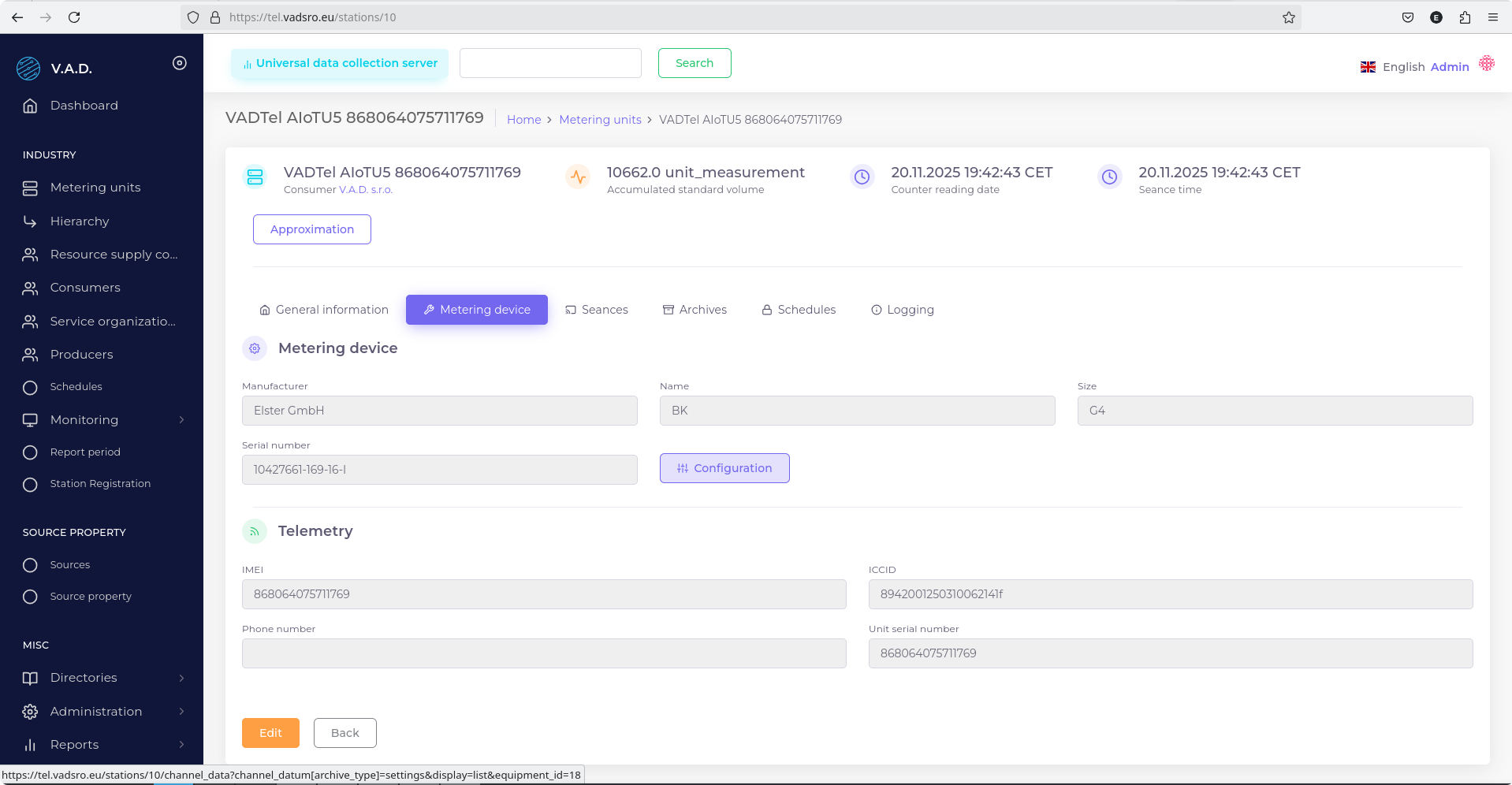
- Open the metering unit card.
- Go to the Equipment tab.
- Click the Configuration button.
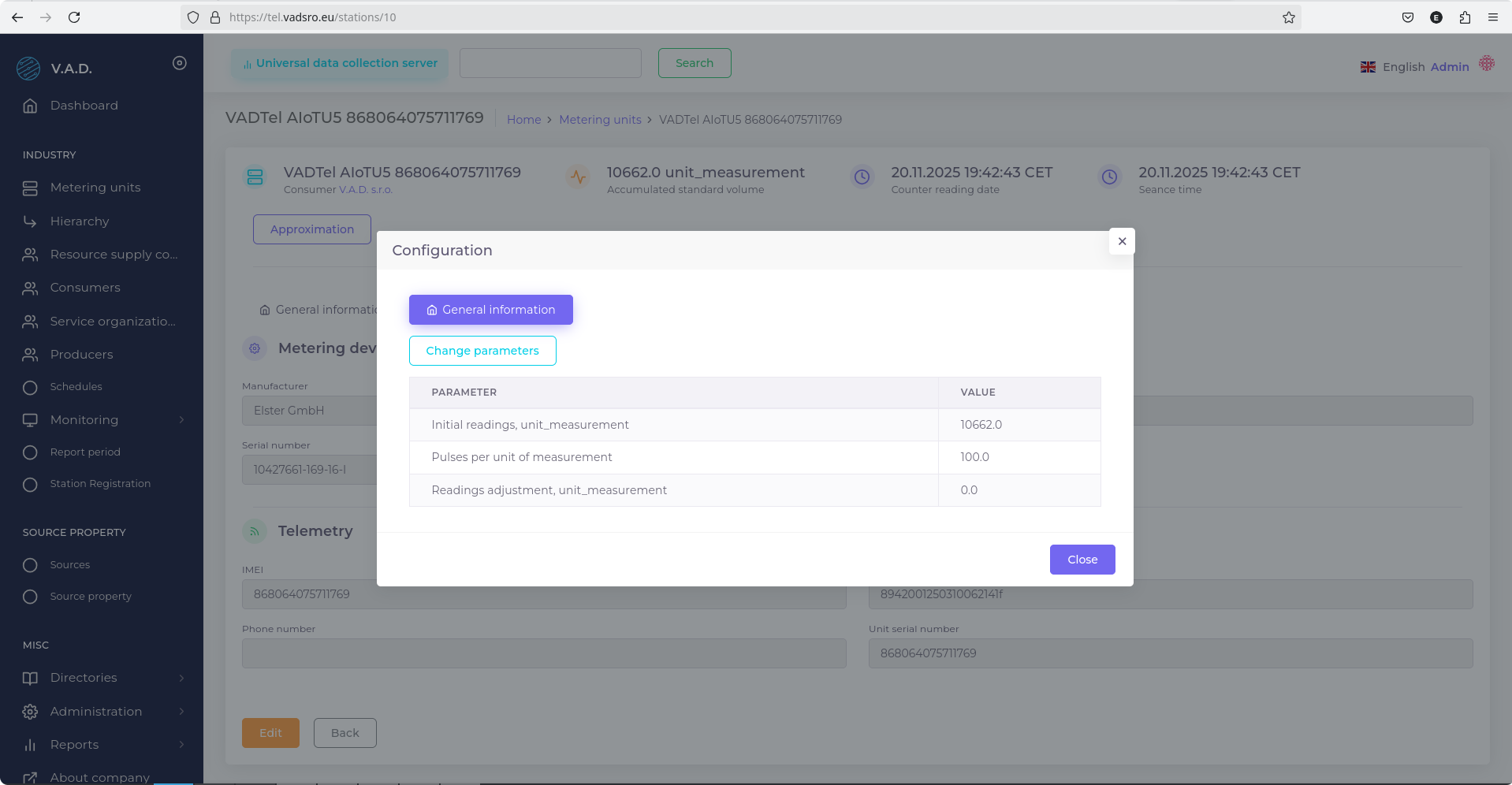
- In the pop-up window, click Change Parameters.
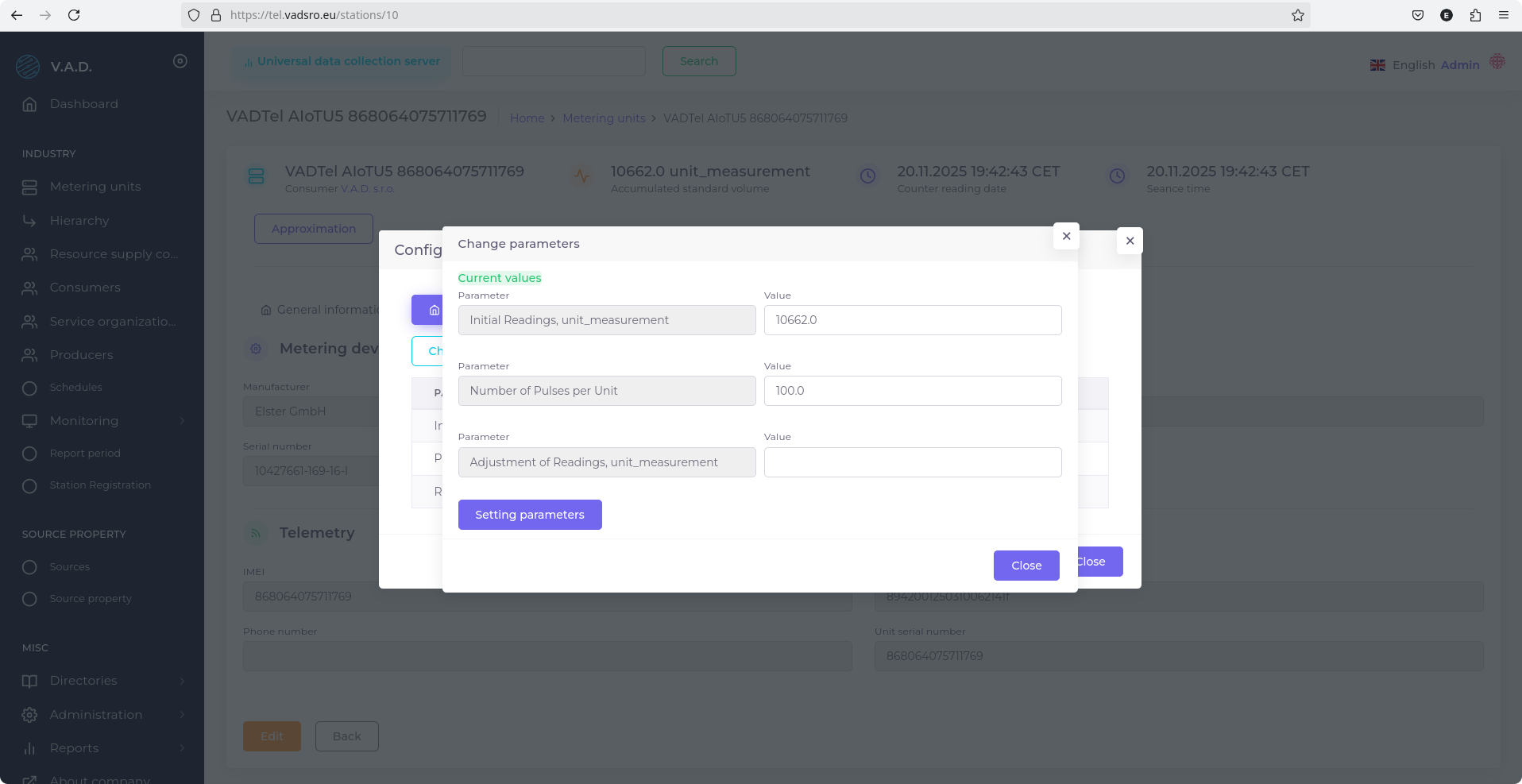
- Fill in the following fields:
- Initial Reading, unit masurement — enter the current meter reading;
- Number of Pulses per unit — select the value according to the meter model.
The Number of Pulses per Unit value depends on the resolution of the mechanical register and is specified in the table below:
| Pulses per Unit | Decimal Places on Mechanical Register | Pulse Weight |
|---|---|---|
| 100 | 3 | 0.01 m³ |
| 10 | 2 | 0.1 m³ |
| 1 | 1 | 1 m³ |
Notiz
Ensure that the selected values accurately match the specifications of the installed meter.