Commissioning
Warning
Before starting the setup, you must record the meter readings at the moment of telemetry unit installation and enter them into the equipment configuration.
To do this, follow these steps:
- Open the metering node card.
- Go to the Equipment tab.
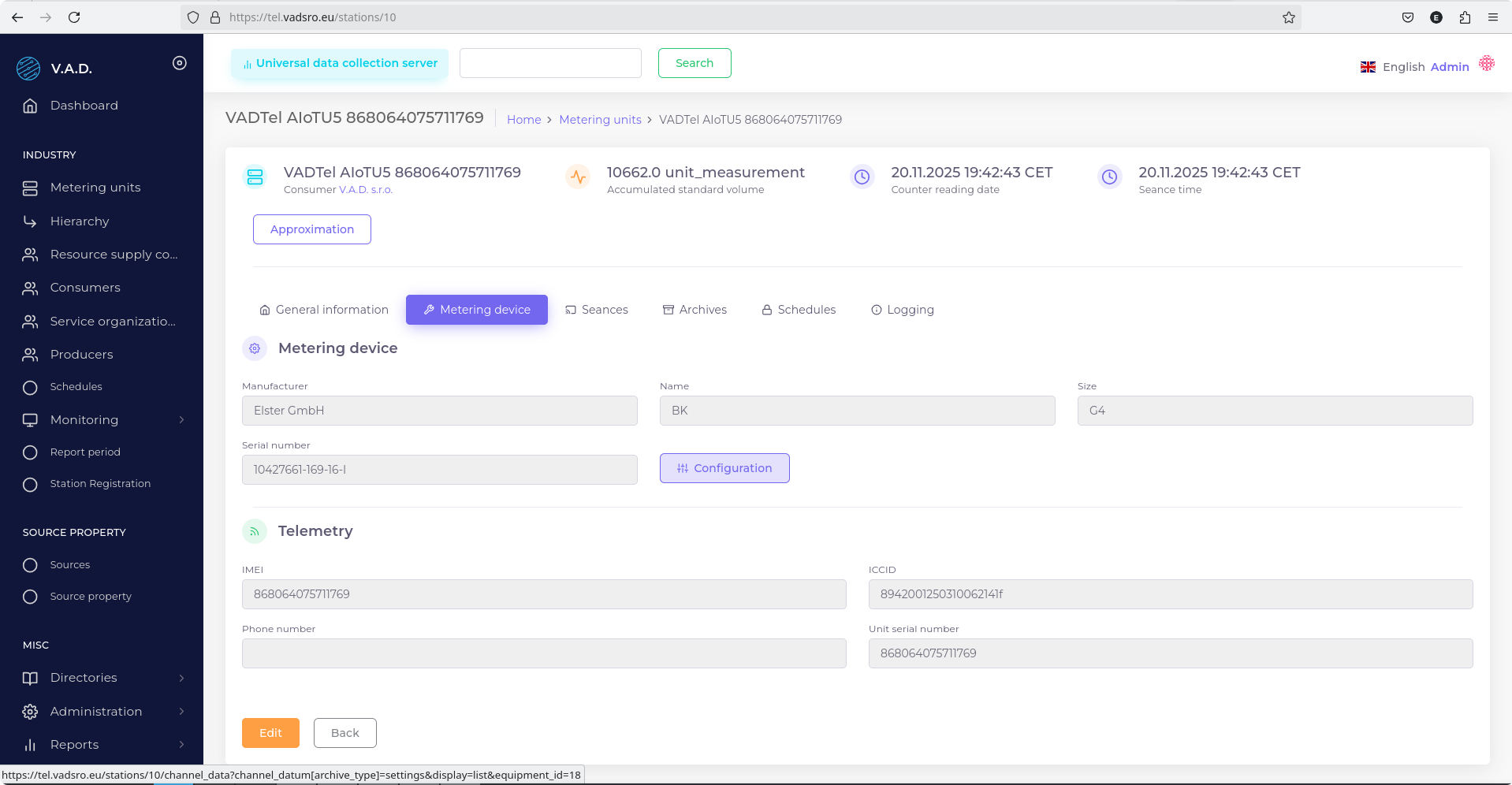
- Click the Configuration button.
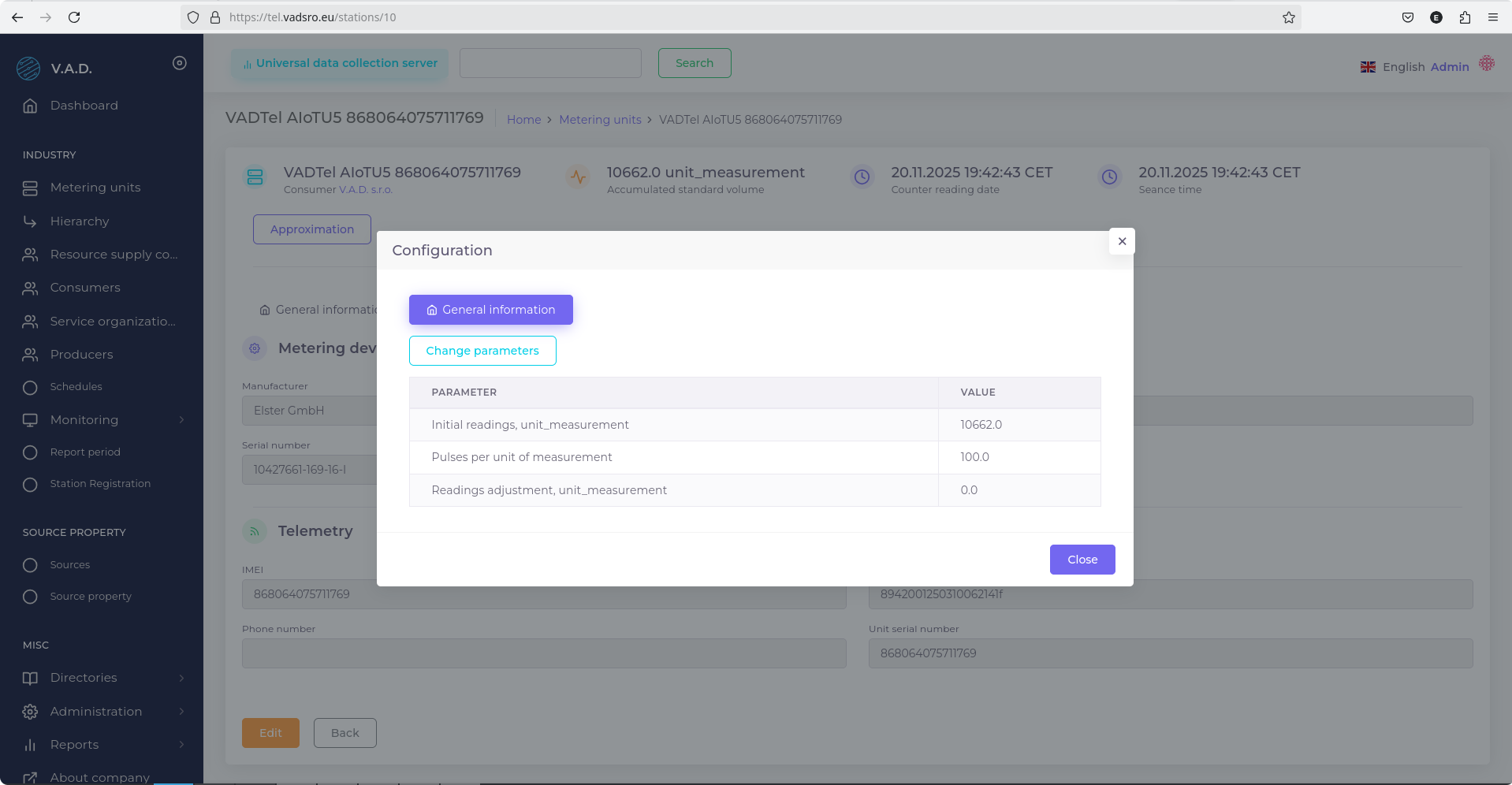
- In the pop-up window, click Change Parameters.
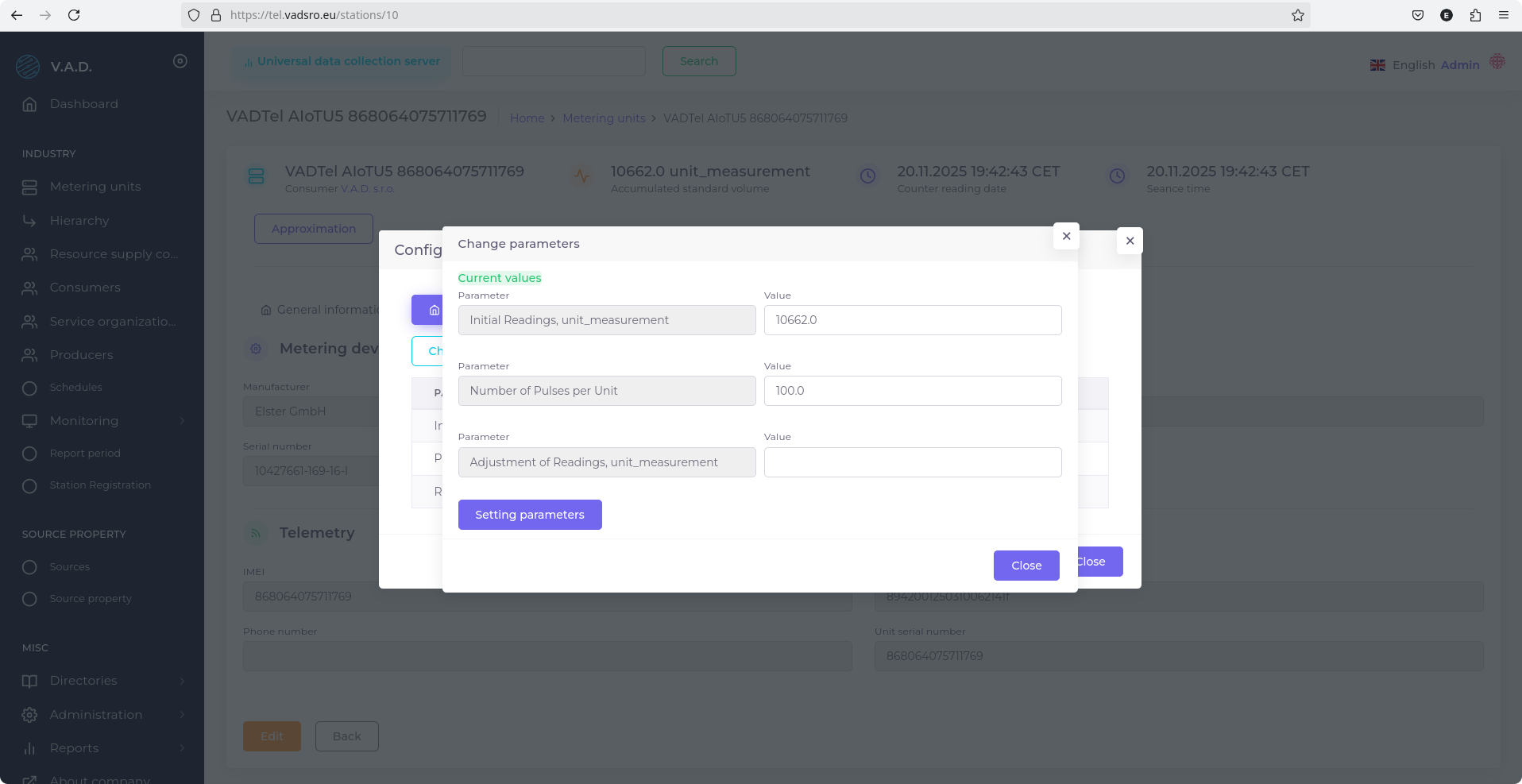
- Fill in the following fields:
- Initial Reading, unit masurement — enter the current meter reading;
- Number of Pulses per unit — select the value according to the meter model.
The Number of Pulses per Unit value depends on the resolution of the mechanical register and is specified in the table below:
| Pulses per Unit | Decimal Places on Mechanical Register | Pulse Weight |
|---|---|---|
| 100 | 3 | 0.01 m³ |
| 10 | 2 | 0.1 m³ |
| 1 | 1 | 1 m³ |
Note
Ensure that the selected values accurately match the specifications of the installed meter.
Last updated on